Drag. Drop. Done.
Search addresses, select parcels, or upload shapefiles.

Create consistent, print-ready exhibits with Aerials, FEMA, Wetlands, Soils, Topography and more — all in one browser-based workflow.
Search addresses, select parcels, or upload shapefiles.
Professional layouts, title blocks, legends, and scales.
Instant PDF exports ready for reports and permitting.
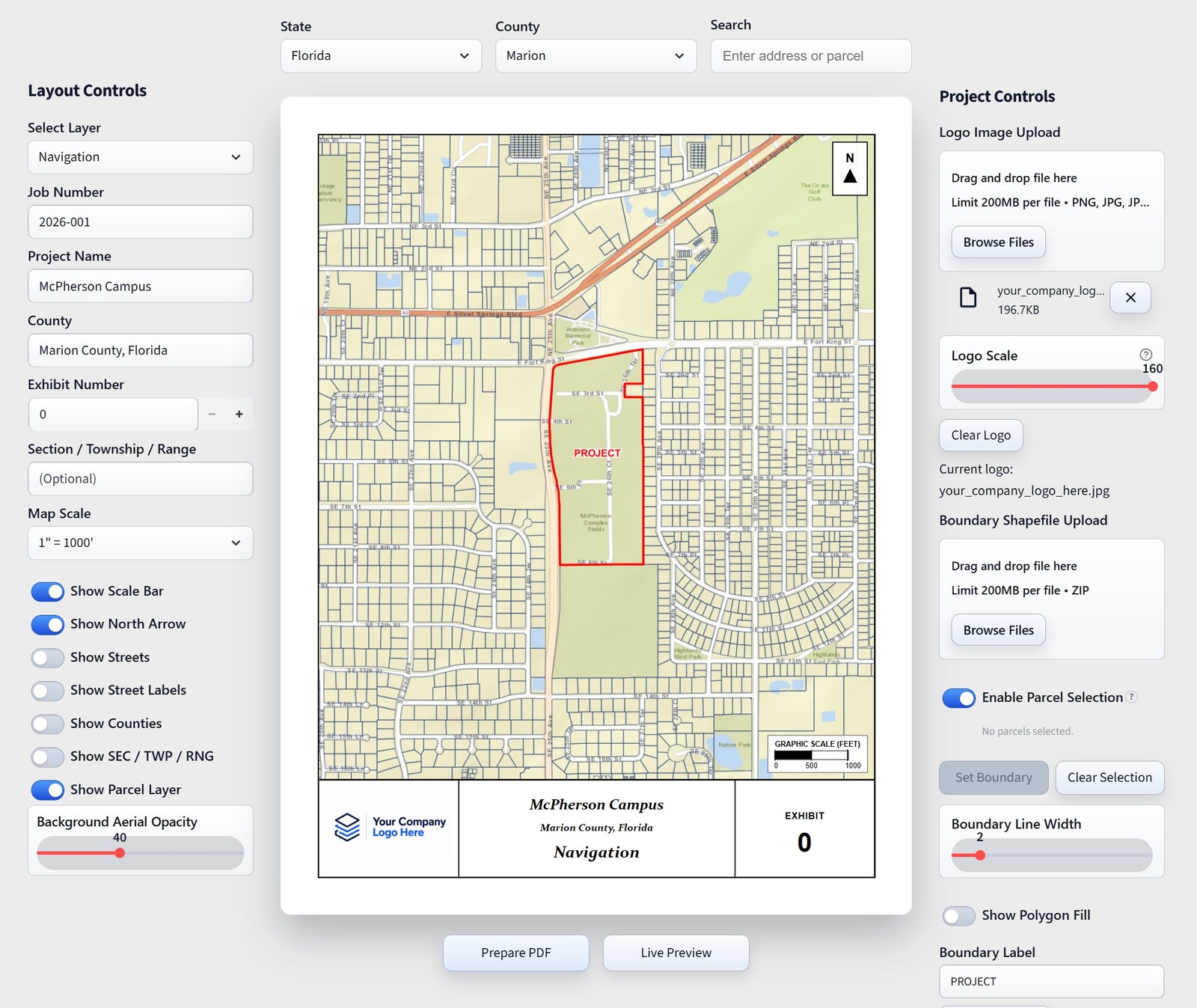
Search addresses or select parcels to define your boundary.
Select pre-built exhibit layouts and toggle map layers.
Add project details and logos with instant exhibit previews.
Export print-ready exhibit PDFs instantly with one click.
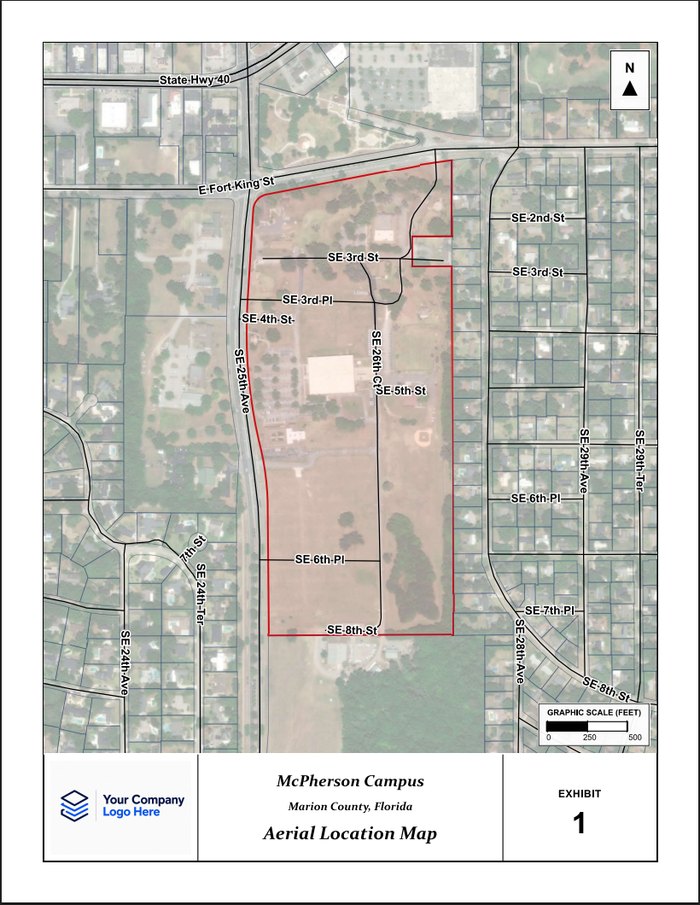
High-resolution aerial context with streets, labels, and project boundary.
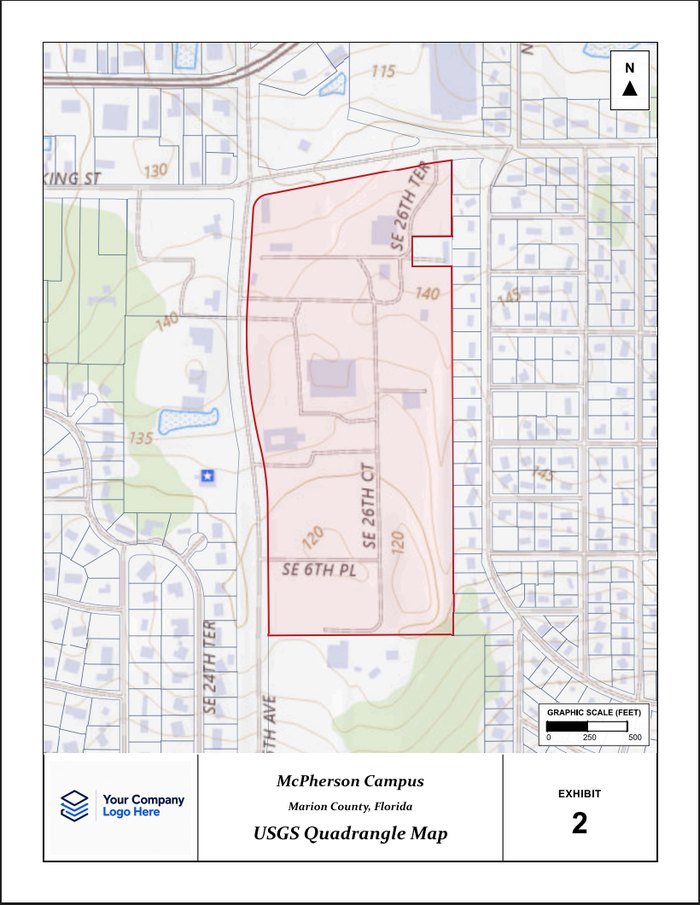
USGS topographic map with contours, hydrology, and land features.
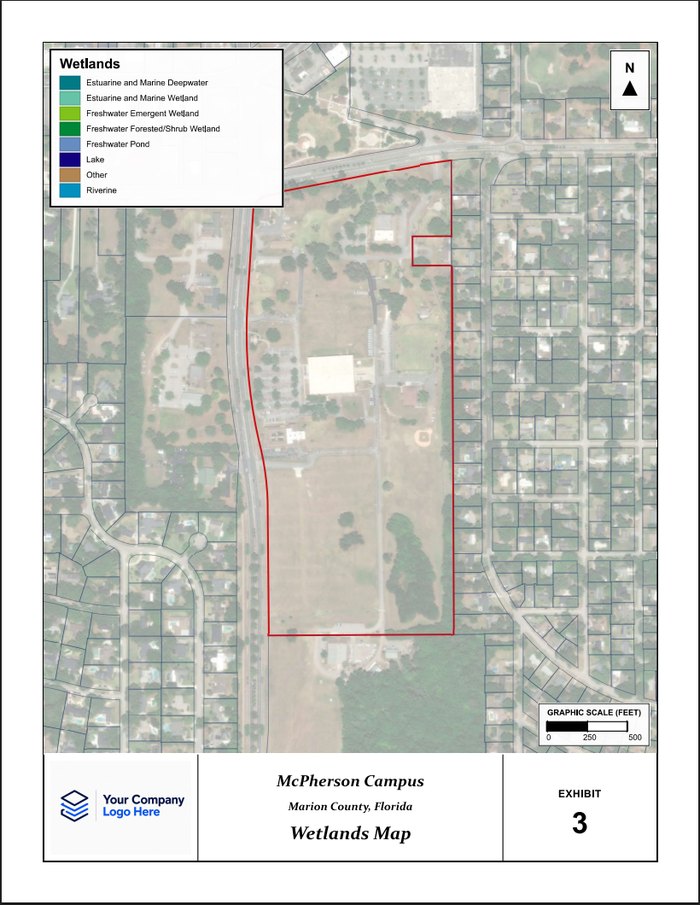
National Wetland Inventory features with official legend and symbology.
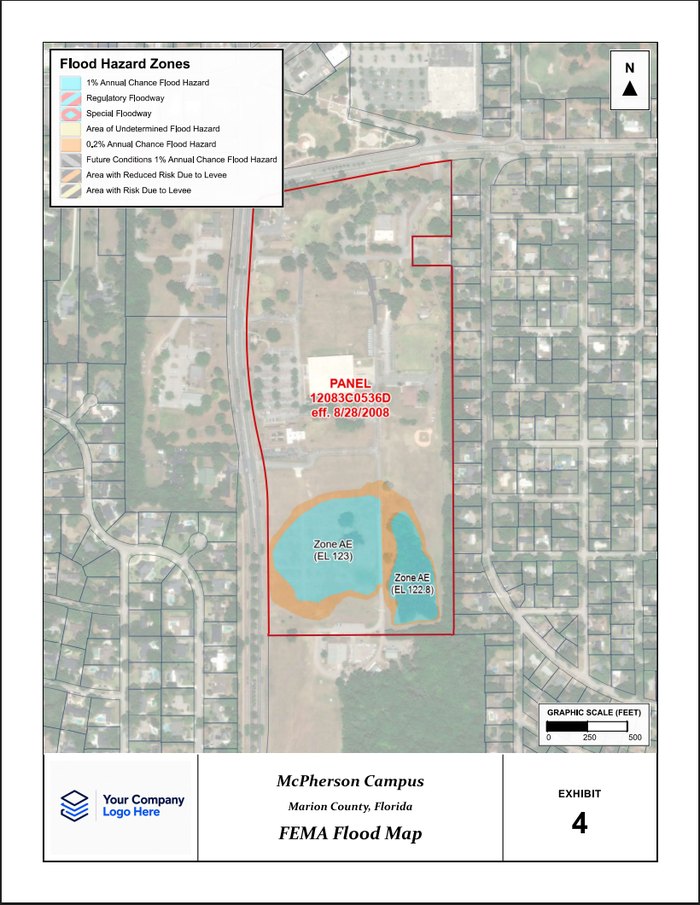
Official FEMA flood hazard layers with zone labels and panel information.
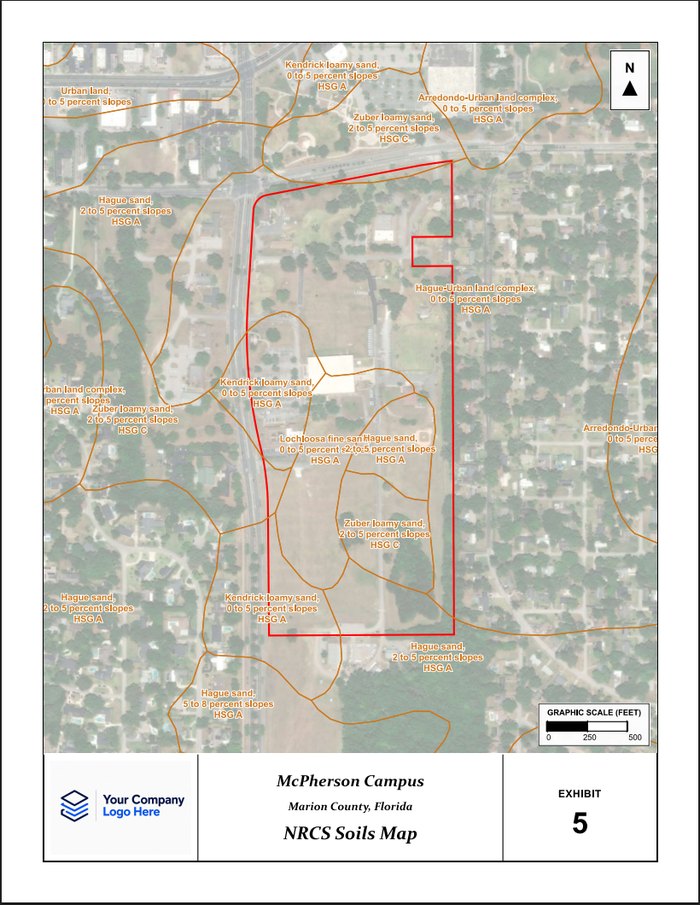
NRCS soil survey data with soil unit boundaries and descriptions.
Start free. Upgrade when you're ready.
Basic
Ideal for smaller exhibit workloads.
Most Popular
Pro
Built for recurring exhibit production.
Pro Annual
Two months free with annual billing.
The app uses authoritative mapping and GIS data from original sources including Esri basemaps and geocoding, FEMA NFHL flood data, USGS topo mapping, USDA NRCS soils data, U.S. Fish & Wildlife Service wetlands data, parcel boundaries, street networks, county boundaries, and PLSS section/township overlays — all combined into fast, print-ready engineering exhibits.
Yes. You can drag and drop or browse to upload a PNG, JPG, or TIFF logo, then scale it to fit the lower-left title block area while preserving its proportions. The title block also includes your project name, county, exhibit number, and section/township/range, while the exhibit title updates automatically based on the selected map type.
We currently offer coverage across the continental United States for most mapping datasets and exhibit types. Full parcel, wetlands, and soils coverage is currently available in Florida. If your state or local dataset is not yet supported, additional coverage can typically be added upon request at no additional charge.
All subscriptions and payments can be managed through the Account Settings page. You can upgrade, downgrade, or cancel your subscription at any time. Secure payment processing is handled through Stripe, and billing statements will appear as HLC ENGINEERING LLC.
We currently offer individual user subscriptions only. Each user maintains their own account, subscription, and access credentials. There is no special enterprise or organizational pricing at this time. Teams with recurring exhibit production needs can scale as needed by adding additional user subscriptions.
The core workflow supports export to professional PDF exhibits ready for reports and submittals.